
[ OPENING_THE_VAULT ]
BVT WALLET Self-custody · Every chain · Signed on your device Your keys. Every chain. One wallet.
- 12,946 $COINS_LISTED
- 50+ $EVM_NETWORKS
- 37 $OTHER_CHAINS
- 3 $PLATFORMS
"Not your keys, not your coins. These are your keys."
BVT WALLET is BitVault's own wallet. Hold BVT, BVUSD, BVINR, USDT, Bitcoin, Solana, XRP and thousands more, send and receive on the chain each coin really lives on, and see every payment with its confirmations. Your 12 words never leave your device, and every payment is signed there — not on a server.
Free · No account needed to start · Built by BitVault
SCROLL_TO_ENTER[ /BITVAULT_COINS ]
BitVault's own coins
Three coins live at the heart of the wallet. Each one is sent on the chain where it really exists — the wallet never offers a network where the coin has no contract.
BVT
BitVault · the main coin
Lives on BVLT, BitVault's own main chain, and on BVM20, BitVault's EVM network. Send from the normal Send screen: the receiver gets exactly the amount you type and the fee comes on top (about 0.0141 BVT on BVLT, a tiny fraction of a BVT on BVM20).
BVUSD
BitVault Dollar
Backed 1:1 by USDT held in a public vault on BNB Smart Chain: a BVUSD is made only when 1 USDT goes into the vault. The reserve is public at bitvault.club/reserves.
BVINR
BitVault Rupee
Created in advance and held in the treasury. No BVINR leaves the treasury until a public INR reserve vault exists. The wallet already shows it and can send it.
[ /SEND_AND_RECEIVE ]
A payment, start to finish
The same five moments for every coin. The screen tells you the truth at each step: which chain, which fee, and whether this coin can be sent from here.
- ◆ Step 1
/RECEIVE/
Your address
Pick the coin and the network. The wallet shows the address made from your own 12 words, with a QR code and the memo or tag rules for that chain.
⚡ QR✓ Your keys - ◆ Step 2
/NETWORK/
The right chain
SOL goes on Solana, USDT on the network you choose, BVT on BVLT or BVM20. Wrong-chain and look-alike addresses are caught before you press anything.
⚡ CheckedMemo / tag - ◆ Step 3
/EXACT_FEE/
Amount and fee
Type the amount to the last decimal. Your balance on that chain and the network fee are shown, and the fee is added on top — the receiver gets exactly your amount.
⚡ Exact✓ Fee first - ◆ Step 4
/SIGN/
Signed on your device
The payment is built and signed on your phone or computer. Only the signed payment goes to the network. Your 12 words never do.
⚡ LocalNo server keys - ◆ Step 5
/HISTORY/
Confirmed
The payment appears in History at once as pending, with a link to the chain's explorer, and turns to confirmed when the chain says so.
⚡ Live✓ Explorer link
[ /EVERY_CHAIN ]
Where each coin really lives
One set of 12 words gives you an address on every chain below. The wallet sends the chain's own coin (and tokens on EVM networks) right from the Send screen.
- EVM networks (50+): Ethereum, BNB Smart Chain, Polygon, Arbitrum, Base, Optimism, Avalanche, BVM20 and more — the coin itself and verified tokens like USDT and USDC.
- Bitcoin family: Bitcoin, Litecoin, Dogecoin, Dash and BVLT, BitVault's main chain.
- Big chains: Solana, XRP (with destination tag), Stellar (with memo), Tron (TRX, USDT, BVUSD), Algorand, NEAR, Aptos, Sui, Tezos, MultiversX, Stacks, Pi.
- Cosmos family: Cosmos Hub, Osmosis, Celestia, Sei, dYdX, Akash, Juno, Axelar, Neutron, Secret, Noble (USDC) and more, with memo.
[ /SENDS_FROM_THE_WALLET ]
- 12,946
- Coins listedwith live prices
- 5,800+
- Coins you can sendfrom the Send screen today
- 0
- Keys on our serverssigning happens on your device
[ /WALLET_TOOLS ]
More than a wallet
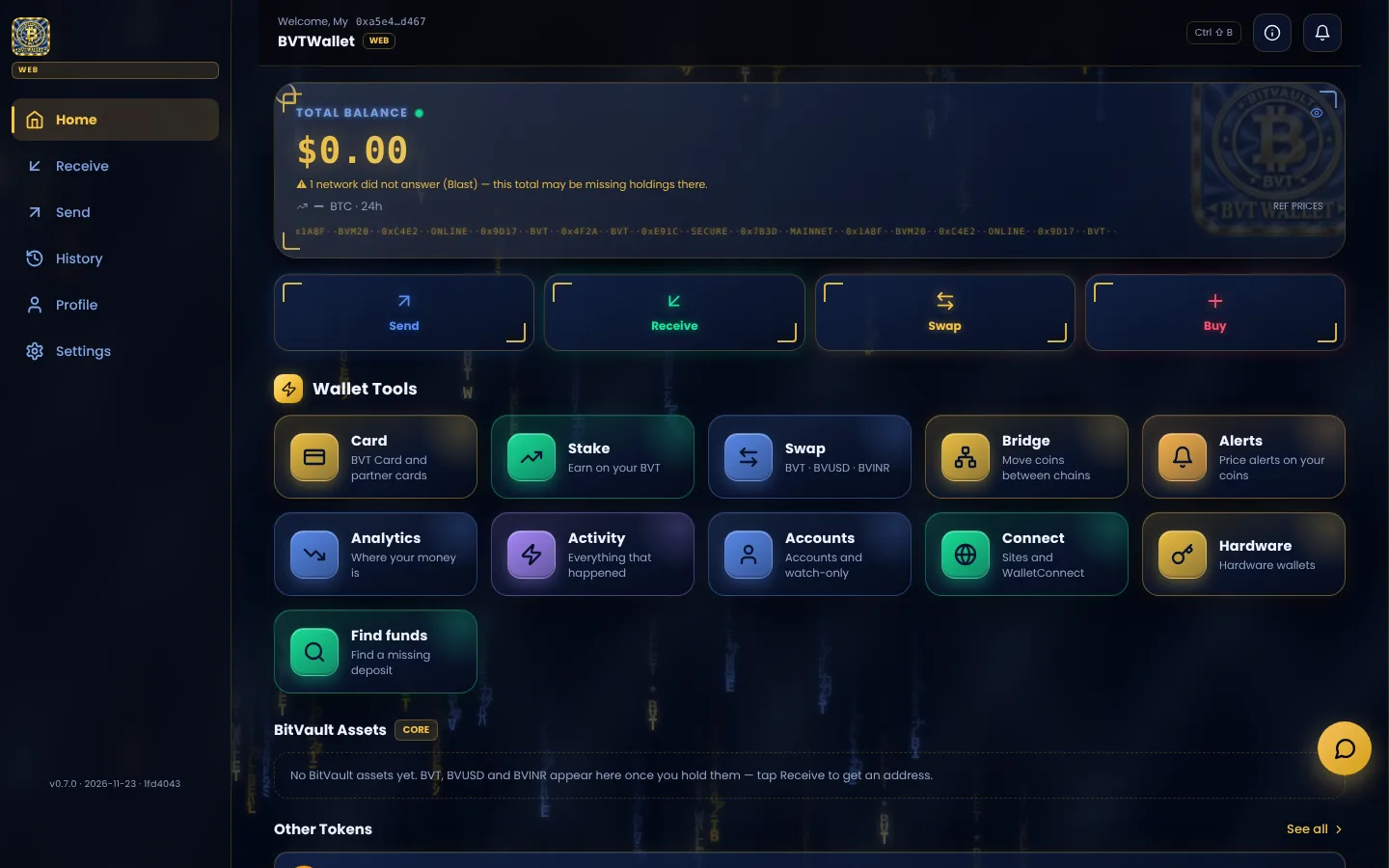
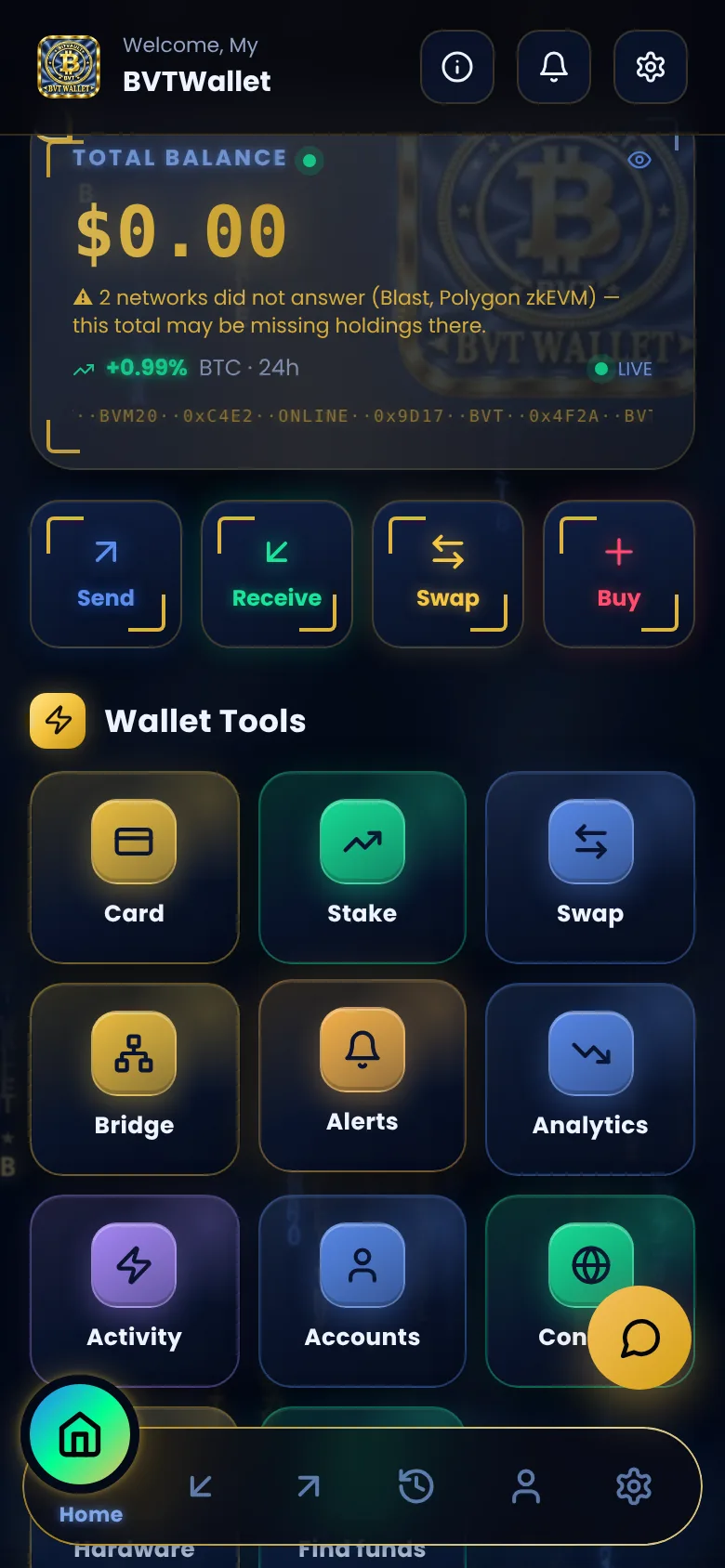
Everything sits one tap from the home screen, under Wallet Tools.
/CARD/
Spend with a card
BVT Card, BitVault's own virtual card (in preview until the card partner switches it on), and Visa cards from partners you top up from this wallet. The card company holds the card money, never BitVault.
/RAMPS/
Buy and sell
Compare offers from partner services in your country and pay the way they allow. The partner handles the payment and the identity check; the coins arrive at your own address.
/SWAP/
Swap
Swap between BVT, BVUSD, BVINR and USDT on BitVault's own exchange on BVM20, signed in the wallet with a slippage limit you set.
/BRIDGE/
BitVault Bridge
Move USDT, USDC, ETH, BNB, XRP and SOL onto BVM20 as .bv coins, each backed 1:1 by the same coin in a public vault on BNB Smart Chain.
/WALLETCONNECT/
Connect to apps
Scan a WalletConnect code to use a website or app with this wallet. Every request shows what it asks for before you approve it.
/ALERTS/
Price alerts and accounts
Price alerts for the coins you watch, several accounts from one set of 12 words, an activity view and a backup check for your recovery phrase.
[ /SOFTWARE ]
The wallet itself
Real screens from the wallet, opened with a public test wallet. On a computer it fills the window like a desktop app; on a phone it fits the phone.
[ /SELF_CUSTODY ]
Your keys stay with you
BVT WALLET is self-custody. That gives you full control — and one duty: keep your 12 words safe.
- Your 12 words are made on your device and saved there, locked with your wallet password.
- BitVault never holds your coins. Nobody at BitVault can move them, and no update can stop you reaching them.
- A copy locked with your password goes to your account only if you turn that on — BitVault cannot open it.
- Write the 12 words on paper. If they are lost, nobody — not BitVault, not anyone — can bring the wallet back.
- App lock with your password, and an authenticator code (2FA) if you want one.
[ /PLATFORMS ]
Browser, Windows and Android
The same wallet in three places. Open it with your 12 words, or sign in to bring back the copy you saved.
/BROWSER/
Run in the browser
Nothing to install. Chrome, Edge, Firefox or Safari, on a computer or a phone. Add it to the home screen and it opens like an app.
▶ Run in the browser/WINDOWS/
Windows app
One file, no installer needed: download, open, done. Windows 10 and 11, 64-bit.
Download for Windows/ANDROID/
Android app
The wallet full screen on your phone. Android asks once to allow installing from the browser.
Download for Android[ /HONEST_LIMITS ]
What it does not do yet
- Tokens on Solana, Tron (other than USDT and BVUSD), Aptos and Sui can be received and shown, but not sent from the wallet yet.
- Cardano, Polkadot, TON, Kaspa, Hedera and Monero: receive-only or not yet supported.
- Card features are not offered in the United Kingdom, and not yet in the United States or India.
- The Android app is installed from this site, not from Google Play, and Windows may show a SmartScreen notice the first time.
- Crypto prices move. Only send to addresses you trust: a payment on a blockchain cannot be taken back.
[ /FAQ ]
Questions
Does BitVault hold my coins?
No. BVT WALLET is self-custody. Your coins are on the blockchains, at addresses made from your own 12 words, and only your device can sign a payment from them.
Do I need an account?
No. You can create or import a wallet with 12 words and use it at once. Signing in with email or Google is optional and lets you keep a password-locked copy of the wallet in your account.
Which coins can I send?
BVT, BVUSD, BVINR, USDT and the other verified tokens on 50+ EVM networks, plus the own coin of 37 other chains such as Bitcoin, Solana, XRP and Cosmos Hub — about 5,800 coins in total. For other coins the Send screen says so before you press Continue.
What does sending cost?
BitVault adds no fee. You pay the network's own fee, in that network's coin, and the wallet shows it before you confirm. On BVLT it is about 0.0141 BVT; on BVM20 a tiny fraction of a BVT.
What is BVUSD?
The BitVault Dollar. Each BVUSD is backed 1:1 by USDT held in a public vault on BNB Smart Chain; a BVUSD is made only when 1 USDT goes into that vault.
Is it the same wallet on Windows, Android and the browser?
Yes. Open any of them with the same 12 words and you see the same addresses and coins.
Exchange deposit with a memo or tag?
XRP takes a destination tag; Stellar, Cosmos-family chains and Stacks take a memo. The wallet shows the field for those chains and warns you when it is empty.
I lost my 12 words. Can you help?
If you saved a password-locked copy in your account, sign in on a new device and type your wallet password. Without the 12 words or that copy, nobody can open the wallet — so write the words down today.
[ /CONTACT ]
Talk to us
Questions about the wallet, a listing or a partnership. We never ask for your 12 words — anyone who does is not BitVault.